Proloquo® 2.0
Multilingual Communication Solution for Mac OS X
Proloquo is a multilingual speech and communication solution for Mac OS X that: (1) is a full-fledged communication system (AAC) for people who cannot speak; (2) provides speech feedback in any application while typing for children and people with learning disabilities; (3) can serve as a talking word processor; (4) provides an advanced, multilingual speech engine for our KeyStrokes® on-screen keyboard and our SwitchXS® switch access solution.
Proloquo includes natural-sounding Infovox iVox voices for a language of choice. The languages currently available are American English, British English, American Spanish, Czech, Canadian French, French, German, Italian, Dutch, Flemish, Icelandic, Spanish, Polish, Portuguese, Brazilian Portuguese, Danish, Norwegian, Finnish, Swedish and Turkish. Infovox iVox provides voices that work not only in Proloquo but system-wide. Proloquo also works with all the built-in voices of Mac OS X.
Proloquo is different from Apple’s excellent VoiceOver technology for Mac OS X in several ways. VoiceOver is a screen reader primarily intended for people who are blind. Proloquo, instead, is a communication solution that also includes certain features geared towards people with limited vision (such as the ability to speak what is below the cursor and to echo what the user types). Additionally, Proloquo works with high quality voices in multiple languages.
Proloquo can be used to create a complete personalized Augmentative and Alternative Communication(AAC) system using simple drag and drop (or copy and paste) of phrases into lists organized by topic. Proloquo also includes LayoutKitchen®. With LayoutKitchen users can design their own speech panels for Proloquo with colorable and resizable buttons containing text and/or images in a variety of formats.
Feature List
- Communication system(AAC) for people who cannot speak
- Type text into Proloquo and let it speak (parts of) that text.
- Use drag and drop (or copy and paste) to create sets of custom words and phrases that are spoken with a simple mouse click or keystroke.
- Create textual speech panels for commonly used words and phrases.
- Use custom speech panels created with the included LayoutKitchen which have colorable and resizable buttons containing text and/or images in a variety of formats. [New in version 2.0]
- Optional: Use with custom image-based speech panels created with LayoutKitchen using over 8000 resizable, industry-standard Picture Communication Symbols™ from Mayer-Johnson (purchased separately).
- Speech feedback in any application while typing for children and people with learning disabilities
- Speaks text and other keystrokes typed in any application.
- Allows for customization of the pronunciation of individual letters,symbols and keys to give full control to speech language pathologists.
- Serves as a talking word processor
- Includes a basic text editor that can speak as the user types, but can also speak individual words, sentences and paragraphs.
- On Mac OS X 10.4 and later, automatically synchronizes typed text and speech functions in applications such as TextEdit and Nisus Writer Express (that support Apple's Accessibility API) as the user moves from window to window effectively turning these two applications into talking word processors.
- Allows the user to enter pronunciation exceptions.
- Can briefly pause between sentences for easier understanding of spoken text.
- Provides an advanced, multilingual speech engine for KeyStrokes and SwitchXS
- Adds the capability to speak with high quality voices in various languages to the built-in speech features of KeyStrokes and SwitchXS.
- Provides control over speech rate, pitch and exceptions.
- Allows the selection of different voices for communication, for the talking interface and for speech cues.
- Additional features
- Speaks screen objects such as buttons, menus, text below the cursor in most applications.
- Provides very large icons and resizable toolbars.
- Speaks selected text in any application using a button or keyboard shortcut.
- Speaks text pointed at by the cursor (optionally requiring a modifier key to be held down) in many applications.
- Converts text to audio files and to iPod-ready iTunes tracks.
- Comes with high quality Infovox iVox voices in a language of choice.
- Universal Binary optimized for PowerPC and Intel processors.
Proloquo works with any hard keyboard, on-screen keyboard, mouse or mouse emulator, such as the HeadMouse Extreme.
Requirements for Proloquo 2.0
1. Mac OS X 10.4 or higher. Mac OS X 10.5 (Leopard) is recommended.
2. Minimal screen resolution of 800x600 pixels.
Additional Resources
Download a demonstration version of Proloquo 2.0
Download Proloquo 2.0 User Guide
Click to buy Proloquo 2.0 on our online store
Communication Software for iPad, iPod touch and iPhone
On-screen keyboard for Mac OS
On-screen keyboard for Windows
Wireless head-tracking
Sip and puff switch solution
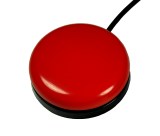
Orby Switch
Origin Instruments Corporation
854 Greenview Drive
Grand Prairie, Texas, 75050 USA
Email: support@orin.com
Voice: 972-606-8740
FAX: 972-606-8741
HeadMouse is a registered trademark of Origin Instruments Corporation. PageBot, Swifty, Beam, Orby, Breeze, SofType, Dragger, and AirVoter are trademarks of Origin Instruments Corporation. All other trademarks are the property of their respective owners.